
Last news
Web site
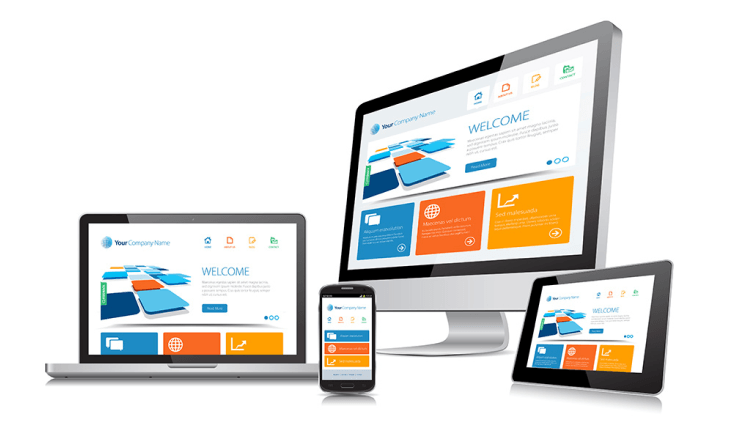
Online Marketing Is Essential for Success
It isn’t enough to build a web page and expect to generate traffic. As with any other asset, website owners must use marketing practices to attract potential business. At VujaDay Creative Digital Agency, we tell our clients that we can build the best website on the Internet, but if nobody can find it on the web, who cares!
Content is the marketing tool of choice in the digital world. Accordingly, active marketers require a content management system (CMS).
CMS tools such as WordPress are valuable marketing tools. Integrating a CMS into a website can add anywhere from $2,000 to $25,000 to website development costs.
Building Your Website
Some business owners believe that they can save money by creating a DIY website. In theory, this belief makes perfect sense.
The cost for a self-service website may range anywhere from free to under $1000. Meanwhile, the average cost of professional website design starts between $3,000 – $5000.
A several thousand dollar price differential makes self-service website building seem like a cost-effective option. However, any inexperienced website builder will quickly learn the downside of DIY web development.
DIY web developers must learn how to use a website builder. Furthermore, they must also learn basic web design and search engine optimization (SEO) practices. Effective SEO practices are essential for helping customers to find a website.
Ultimately, It takes considerable time to learn how to build a website correctly. Furthermore, it takes more time to maintain a website, learn how to troubleshoot website problems, and make it searchable on the web.
What DIY web developers save in website design costs they more than pay for in time. As a business owner, you may end up paying for a website twice because the DIY provider didn’t deliver the first time around. Moreover, unless a business owner already understands the intricacies of web design, they’ll need to settle for a basic, plain web presence that doesn’t illustrate what they do for customers.
Website design and development is a full-time job. Most business owners find that they cannot afford to take time off to learn how to design a web page.
Professional web design services create attracеtive, engaging, and functional websites. The average cost of a website designer is well worth the investment. In time, a professional web page enables business owners to recoup their investment many times over.
Pick up new timesaving event planning secrets
1. Have rules regarding last minute event or contract changes.
Although there are plenty of ways to handle last minute event changes, prevention is key. So in your contract, make sure you include rules for what happens when significant changes occur 1-3 months out, 1-4 weeks out, and the day of-1 week out. Also be sure to get your scope of work in writing too.
2. Test drive new staff at smaller events.
Working with event staff is a skill unto itself. Don’t put new hires on staff for your most important events until you’ve seen how they can perform at smaller, less intense ones at least once.
3. Send deadline reminder memes to partners, sponsors, and teams.
Memes have a scientifically proven effect on the human brain. So even though everyone secretly hates your friendly reminder emails, adding a meme can help trigger the memory forming centers of our brains (because by definition a meme is assigning meaning to an otherwise meaningless image) and help participants feel a greater sense of community having participated in (or at least can recognize) the almost tribal like sharing that led to them knowing this particular bit of micro information.
4. Make event vendors pay late fees.
Nothing lights a fire under a person quite like throwing good money away. Set your event vendors up with the same late fee parameters and figures that you use with your clients (the size of the fee doesn’t matter; it’s very existence should be enough to strike fear into their hearts).
5. Use chatbots to communicate with event attendees.
Use chatbots before your event to establish your event brand voice and tone, provide customer service support, and gather data on your audience through things like polls or surveys.
Try the world’s best all-in-one event planning software
Get Started Free
6. Create event staff training videos.
In the week leading up to the event, send a link to a password protected video set that staff can review (and preferably be quizzed on) that preps them for the big day. Here are some ideas for using employee training videos that you directly apply to your event.
7. Funnel all your event social media feeds into one platform.
Tools such as Buffer, HootSuite, and Everypost consolidate multiple channels into a single dashboard so you can have a bird’s eye view of what content you’re distributing and how your event audience is reacting to it without toggling between a half dozen sites.
8. Get an all-in-one event management tool.
The best event management software options should help you accomplish tasks like: build your budget, search for event venues, designing your floor plan or layout, collaborate with key stakeholders, and help market the event itself.
9. Set up texting from your computer.
It’s really distracting to have to simultaneously monitor emails on your desktop and messages on your phone, so try keeping them all in one place instead. If you already have a Mac, you can probably use iMessage. But if you have a PC or are communicating with someone who doesn’t have an Apple phone, just follow these instructions.
10. Centralize event communications.
The average person spends 28% of the whole work day just sending and answering emails. Save you and your entire team that chunk of time by implementing a single event services solution where you all can share documents, consolidate message threads, and get real time updates on project statuses without ever opening your inbox.
11. Let face analysis software do market research for you.
Facial recognition can be used to reduce manual event guest check ins, enhance event security, create programming heat maps, and neatly gather on new leads.
12. Organize your to do list by urgency and importance.
Nicknamed the Eisenhower Matrix, this useful graphic can help you tidy up your to do list and tackle only the most important tasks first (i.e. the ones that are both urgent and important).
13. Assign an informed tie breaker within the company.
Disagreements among event stakeholders come up from now and then, but working towards those solutions have the potential to take up a larger chunk of your timeline that you planned for. Make sure your designated decision leader knows all the details of the situation, can make an unbiased observation of both sides, and is good under pressure.
14. Create a highly detailed schedule for your work day.
Plan out activities using 15 minute blocks, remember to schedule breaks, group similar tasks into the same chunks of time.
15. Reject interruptions by blocking off solo work time on your public calendar.
Time blocking in this way helps make sure other team members respect your boundaries while you stay on task.
Guide: How to Create an Event Planning Checklist
16. Get order, timing, and document requirements from each of your backup vendors.
If something goes wrong with your vendors it will likely be a last minute issue. So have at least 3 backup choices with all their relevant details available in your event planning binder for every type of vendor your event will need.
17. Do a workflow overhaul.
Tracking what you do every day might lead to better work-life balance but it can also help identify weaknesses in your current process. For example, you might need to delegate more administrative tasks or conduct shorter meetings.
18. Consistently add to a list of potential speakers and presenters for future events.
Collect names of people who are influential in your industry, are great lecturers, or have expressed interest in working with your brand publicly. When it comes time to booking your speakers, you won’t have to spend hours digging through LinkedIn and your contact list to find anyone – just refer to the list!
19. Visualize how you would streamline your process if your current schedule was doubled.
This great psychological exercise forces you to figure out how, in the most high pressure situation imaginable, you could possibly deal with and overcome scheduling challenges that come with completely maxed out workload. It’s pretty much the best way to beat Parkinson’s Law.
Hotel asset management
20. Make a list of expectations and tasks all your event volunteers will be responsible for (and share it with them ahead of time).
On the day of the event, answering questions and micromanaging event volunteers is way too time consuming. Plus, they’ll really appreciate you preparing for them (it’s one of the best ways to make your volunteers happy).
21. Automate the event check-in process.
Speed up the process by choosing a great event check-in app. Look for user-friendly features that further cut down on the time it takes to train your event staff how to use the program if you want to pack an extra productivity punch.
22. Share desktop screens to your phone.
Tools like Chrome to Mobile make it easy for you to sync all your open tabs from one device to the other, which is helpful when you’re on your wa ay to a meeting, traveling to or from a venue, or simply need to save these particular pages for future viewing later.
23. Wrangle speakers and organize presentations through a single collaborative platform.
Using email to answer speaker questions, approve outlines, and gather photos or bios isn’t efficient, which is why it’s best to use a single tool that brings all your speakers together into one digital area you can oversee.
24. Use an event registration website builder instead of building one from scratch.
Plus, using a customizable solution will make it easier to collect audience information, maintain high security levels, enhance your event strategy, and provide more than enough time saving bonus features to fully round out your new productivity plan.
25. Add a QR scanner to your event app.
Using QR codes for events will make it easier to check people in and it will help your booths or sponsors conduct valuable, lead generating event activities without requiring any additional demands on your schedule.
26. Use templates to create event surveys and polls.
Combine a mobile event survey app with attendee, sponsor, or stakeholder event survey questions.
27. Have an email sorting tool prioritize your inbox for you.
If you have Gmail, give tools like Sortd a try. They help turn your inbox into a to-do list, using customizable columns to organize tasks based on your emails. If you use different email provider, look for an extension that allows you to go beyond basic color coding to provide actually useful organization help.
Even more event planning secrets
If you’d like to find even more ways to be productive as an event planner, try reading up on how to handle common problems and solutions before they come up. You can also save time by using this customizable event checklist or brush up on your email communication skills before your next big project starts to create a well rounded productivity plan.
_________________________
Planning an event can be a stressful process, and can often leave event organisers feeling overwhelmed. Our top 10 tips for Successful Event Management will help you to master the fine art of planning a memorable and effective event.
1. Begin Early
Begin planning as soon as you possibly can. If your event is a large event you should realistically begin planning it four to six months in advance. Smaller events need at least one month to plan. To keep the final run up to the event flowing smoothly, try to ensure that all vendor contracts are completed a few weeks before the event.
2. Remain Flexible
Over the course of planning the event, things are going to change. Whether it is event times, locations or even the type of event you’re hosting, you need to ensure that you’re flexible and can meet the changing demands.
3. Negotiate
Despite what many vendors will tell you, everything is negotiable. Remember that with every event there will be unforeseen costs, so try to negotiate as low a price as you can. Determine your budget before meeting a vendor, and offer to pay 5-10% lower than this figure. Your vendor may put up a fight, but ultimately they want to win your business.
4. Assign Responsibilities
Break up the various elements of the event into sections (e.g. registration, catering, transport), and assign a section to each member of your team. As they are solely responsible for their own section they will be much more clued into small detail changes.
5. Create a Shared Document
With the cloud comes many benefits, and collaborating with your team couldn’t be easier. In order to keep everyone on the same page, create a central manual or document that details everything to do with the event, including vendor contracts, attendee information, and the floor plan. With a shared document everyone can refer back to it if they are unsure, and your entire team can spot if something is out of place. Our CMI Event Management course is an ideal course to help you put this in place.
6. Have a Backup Plan
It is rare that an event is ever pulled off without at least one issue, an item may not turn up or an important person may arrive late. Assess the most important assets your event will have, and create a backup plan for each. If a number of issues arise in the future, triage them and decide whether an alternative can be found, or if it should be cut entirely from the event.
7. Do a Run Through
About two weeks before the event, do a run through of the entire event process. Organise a meeting with your team and mentally walk through everything, from initial set up to the follow up process. Often complications are highlighted at these meetings, and you will have time to correct them. A few days before event organise another run through at the venue.
8. Photograph Everything
Pictures paint a thousand words, and posting positive photos online is an excellent way to demonstrate the success of your event. If you have the budget hire a professional photographer, they will be more clued in to the kinds of photos that are required and will approach you for specifics. Ask for a number of shots to ensure you cover all bases like a snap of the full room, photos of event branding, and lots of photos of attendees enjoying themselves.
9. Get Online
An event is the perfect way to up your social media presence. Create a custom hashtag for your event on Twitter and encourage your followers to tweet about it. Similarly create an event on Facebook, and encourage your followers to tag the event in relevant posts. Upload your photos once the event is over and actively encourage users to tag themselves.
10. Follow-up Immediately.
Once the event is over, many organisers fall into a common pitfall – taking a break. While the logistics may be done it is important to be proactive in following up with attendees, be it over email or on social media, to demonstrate the success of the event.
__________
Top 10 Tips for Successful Event Management
Why does your business need a logo?
Your logo is the visual foundation of your brand identity
Design matters and you do need it! Especially if you want people to give you money and tell the world about you. When you invest in your branding, you empower your small business to thrive.
Have a question about branding or logo design? Write a comment bellow ! Need a professional logo designed for your small biz? Get in touch. View some of our logo designs here.